Tags do not replace site safety training or emergency procedures. Define issue, return, departure handling and staff roles; employment does not grant blanket access to health information.
M31 SOS · VISUAL GUIDE
Personal information is stored according to the purpose and scope.
QR, access password, and activation code are separated, and location sharing is handled with separate consent.
Schematic for functional/product design explanation · Not in actual condition
Prepare for collaboration review
Prepare organization type, audience, purpose, estimated quantities/timing and contact roles. Do not require physical purchases for digital features or advertise adoption/certification before agreement.
Agree on training, consent checks, distribution, activation guidance, shipping, exchange and inquiry channels. Separate production data from medical information; partners do not automatically gain access to user health data.
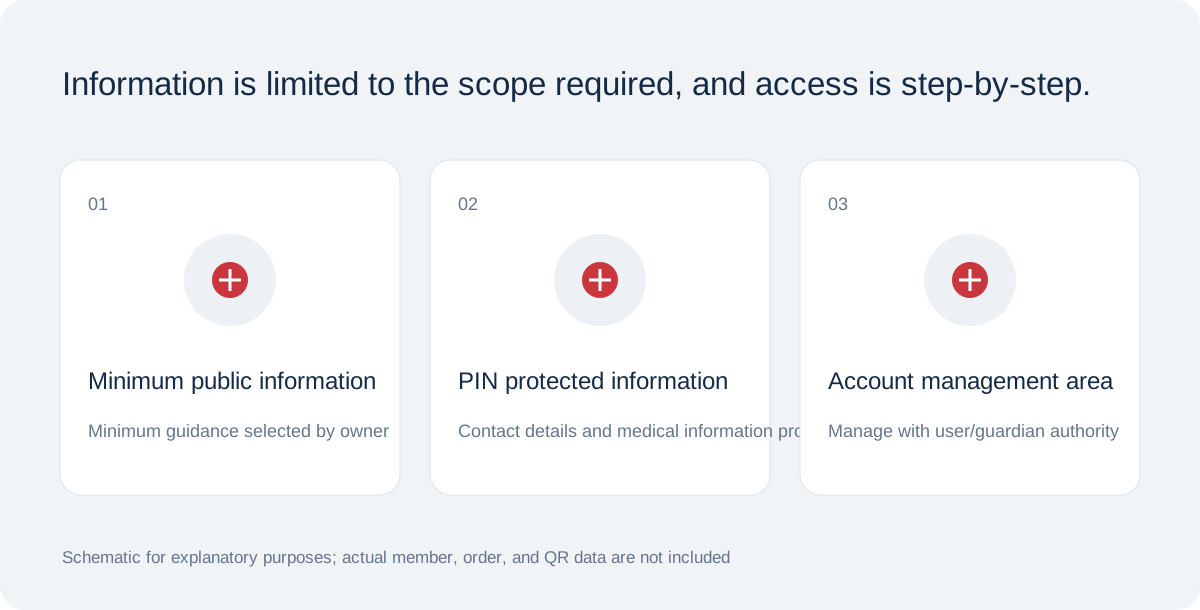
Information has three separate layers
Public information includes language, communication guidance and only selected, consented minimum emergency fields. Consider the need and risk before publishing allergies, medicines to avoid, conditions, medicines, devices, pregnancy or blood group. Blank fields do not mean there is no condition or allergy.
PIN-protected fields can include name, age, guardian and backup contacts, surgery, history, doctor, insurance and embassy details. Care responsibilities and private notes are owner-only and do not appear in QR views even with the PIN.
Checklist from saving to actual use
Prepare in order: 1 sign in, 2 enter information and confirm authority, 3 choose visibility and fields, 4 confirm storage, accuracy and health consent, 5 save profile, 6 set PIN and issue QR, 7 retain activation code, 8 activate tag, 9 download QR.
Scan the active QR on another phone and check public and PIN views separately. Verify recipients, consent and actual QR-guidance email receipt. The system does not currently enforce confirmed email receipt as an activation condition; check it yourself.
Included in M31 Software Buffet · All members can use SOS digital features free of charge. Charges apply only to optional printed products and keyrings.