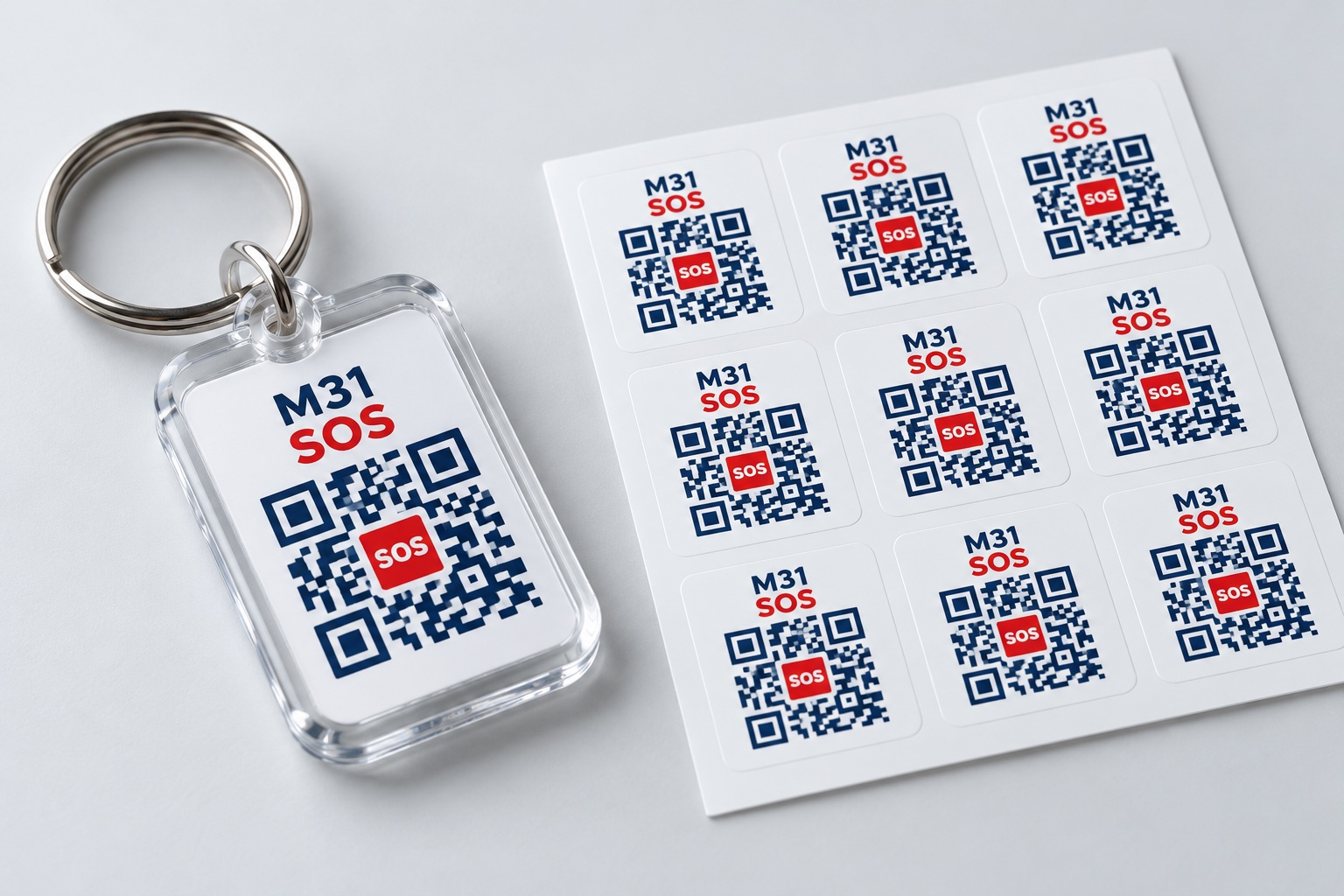
Check out how to prepare and use the M31 SOS by looking at the photos and screen examples in order.
01
Select product type
Prepare according to your usage environment
AI production use/product concept image
Digital QR creation and downloading are available to all members. Select and order keyrings to attach to your bag or keys or stickers for your belongings when necessary. The metal dog tag worn on the body is a product ready for release and its performance has not been verified.
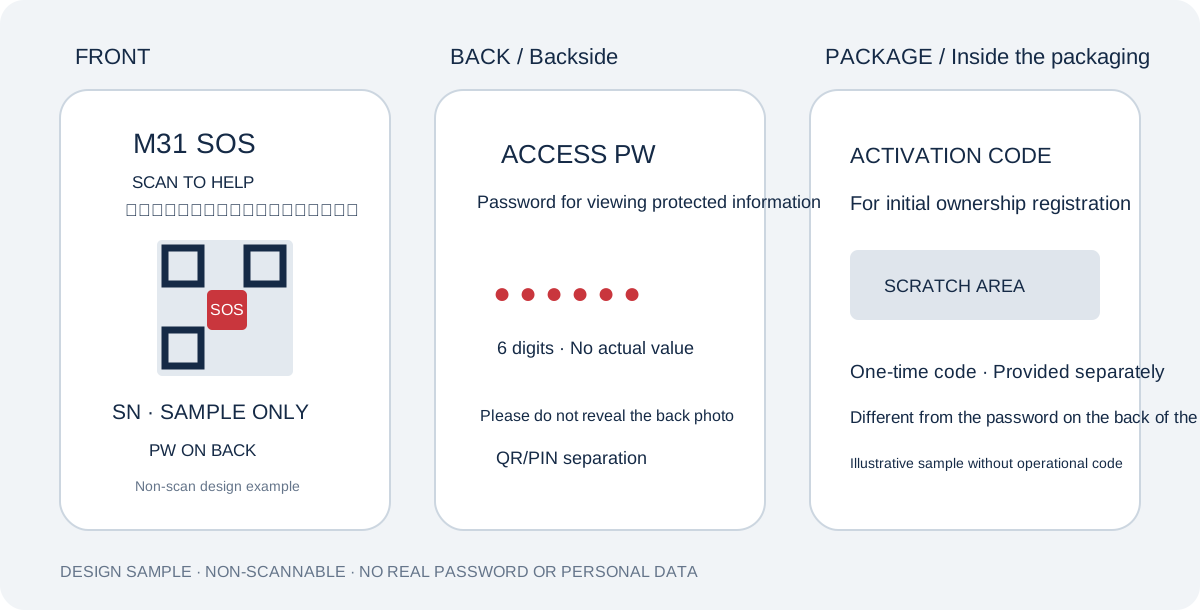
QR on front, password on back, activation code inside package
Screen diagram for function explanation · Not a real account · Issued QR
The QR on the front is used to find the emergency page, and the 6-digit ACCESS PW on the back is used to open protected information. The one-time activation code in the packaging is for registration of ownership. Separate the front photo so that the password is not visible, and do not disclose the back photo online.
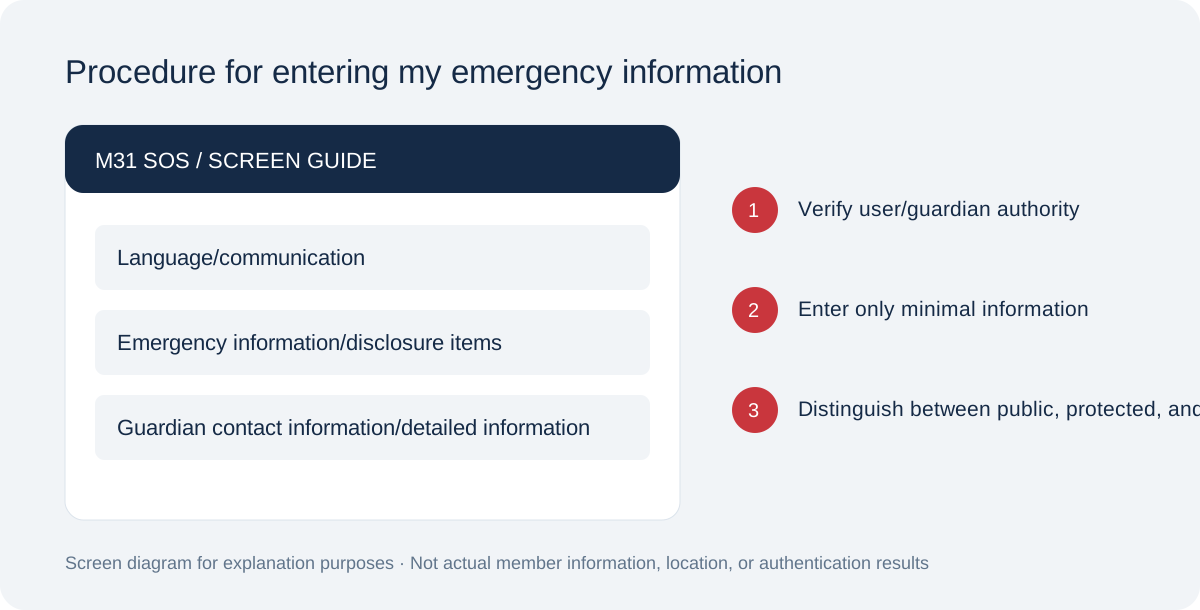
Enter as yourself or with appropriate guardian authority.
Screen diagram for function explanation · Not a real account · Issued QR
Separate language/communication guidance from emergency fields. Contacts, history and insurance are protected; care notes are owner-only. Sign in and confirm authority, storage and accuracy. Health storage and public consent are separate.
Screen diagram for function explanation · Not a real account · Issued QR
A is all lock before password, B is minimum information disclosure and detailed lock, C is selective disclosure. Medical information can be publicly previewed only after item selection and separate consent for sensitive information. Note that in full lockdown, rescuers can't even see allergy information right away.
Screen diagram for function explanation · Not a real account · Issued QR
Check that your name and contacts are not unintentionally public. Verify guardian contacts and actual email receipt before relying on alerts. Confirm recipients and consent in Email settings, then request QR guidance and check receipt.
Place the password in an easy-to-find location without exposing it.
AI production use/product concept image
The ring-shaped key ring is connected to bags, keys, etc., and the sticker is attached to necessary belongings. Don’t mix between QR and scanning instructions. Wearable tags must be used after checking the chain, material, and safety specifications, and acrylic and stickers should not be used as fire response products.
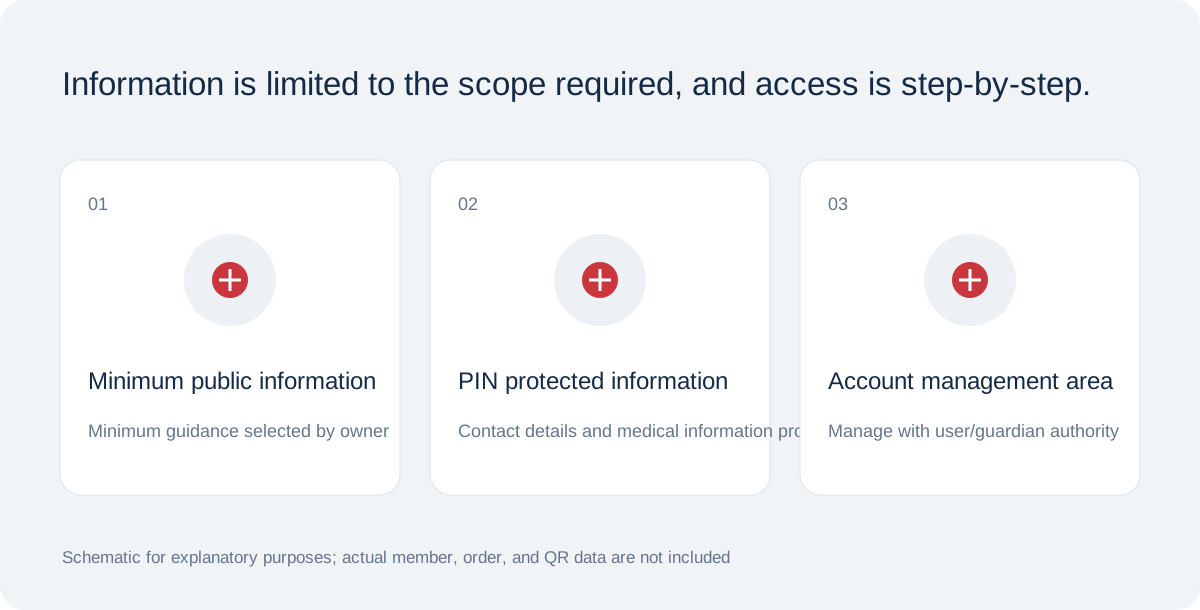
Check public information first and protect information separately.
Screen diagram for function explanation · Not a real account · Issued QR
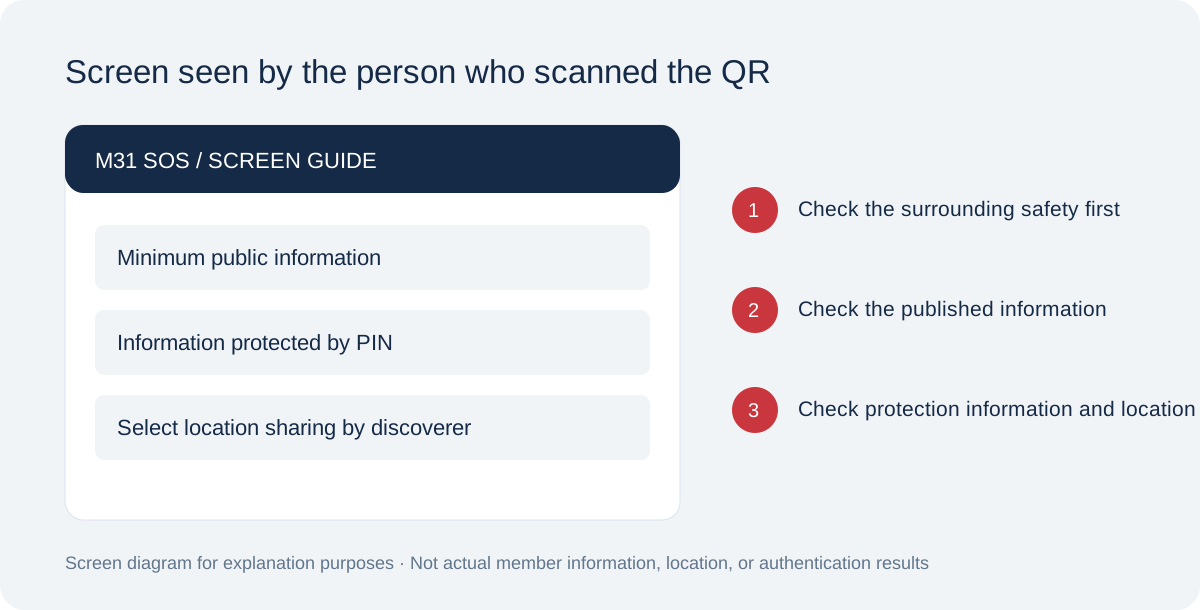
This is a flow in which the discoverer checks the published minimum information without logging in. Detailed information requires the password on the back of the tag and server verification. If you are in imminent danger, contact your local emergency department directly and do not make medical decisions based solely on the information displayed.
Screen diagram for function explanation · Not a real account · Issued QR
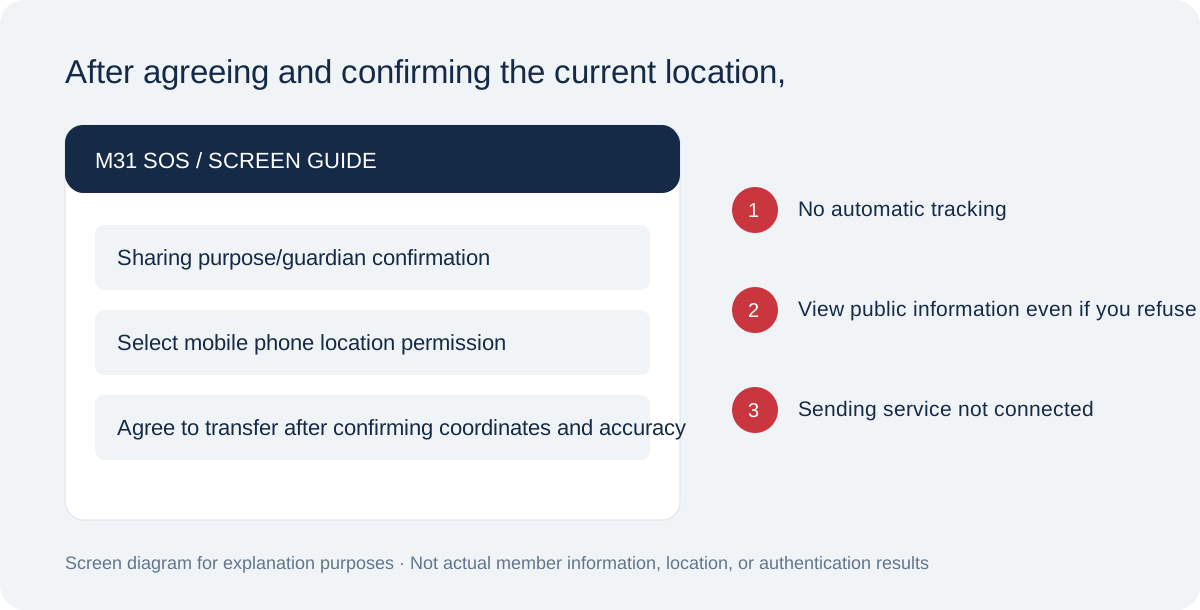
Read the sharing purpose and recipients before granting device location access. Review coordinates, accuracy and time, then confirm sending separately. Refusal does not block public information and no IP fallback is used. Real access is limited to owners and verified consenting guardians for 24 hours.
If your contact information has changed or you have lost your tag
Screen diagram for function explanation · Not a real account · Issued QR
Check contact information and scope of disclosure, and distinguish between suspension of lost tags and deletion of personal information. It is designed to check the serial number if the QR is damaged, and phone and institutional inquiries are still being prepared.
Prepare in order: 1 sign in, 2 enter information and confirm authority, 3 choose visibility and fields, 4 confirm storage, accuracy and health consent, 5 save profile, 6 set PIN and issue QR, 7 retain activation code, 8 activate tag, 9 download QR.
Scan the active QR on another phone and check public and PIN views separately. Verify recipients, consent and actual QR-guidance email receipt. The system does not currently enforce confirmed email receipt as an activation condition; check it yourself.
How email notifications connect
In Email settings choose profile, role, address and language, then request verification. The recipient verifies ownership using the emailed code and consents personally. Guardians choose scan and location alerts separately; entering an address alone does not enable alerts.
Emails contain no medical information, PIN or precise coordinates. Guardians use an email code to open restricted, consented scan/location records. Gmail acceptance is not inbox delivery; check spam, address and consent. Automatic LINE/SMS fallback is not connected.
Stop notifications in member settings or with the email stop code. Requests with uncertain acceptance are not automatically resent. Production reauthorization of the sender is pending; also check service status.
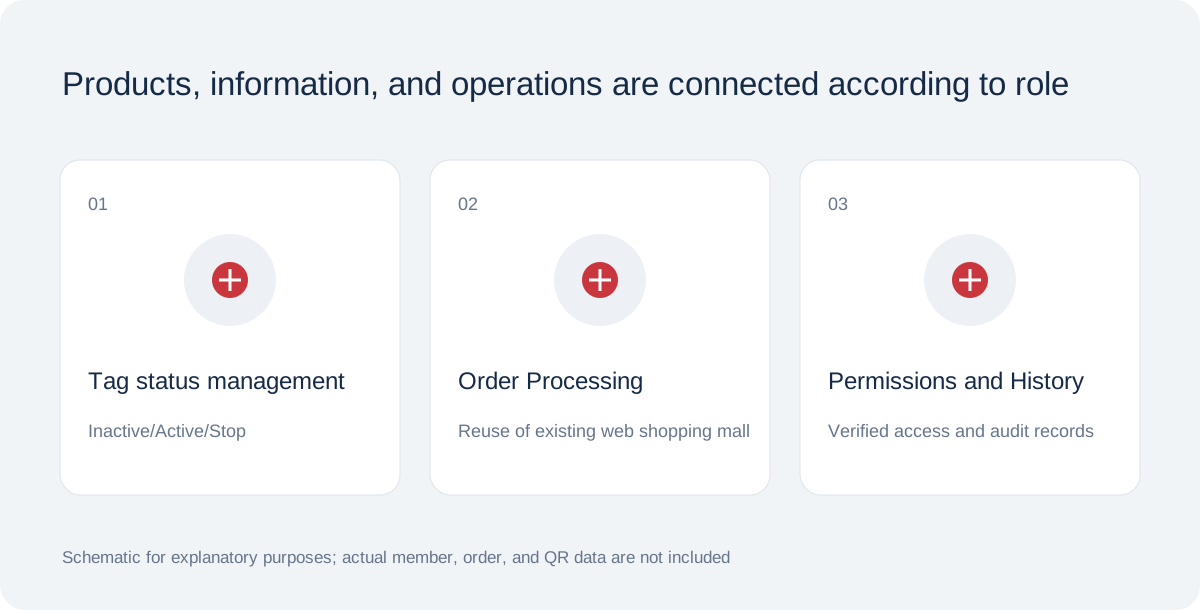
Included in M31 Software Buffet · All members can use SOS digital features free of charge. Charges apply only to optional printed products and keyrings.